

The dashboard
The shared layout every portal page uses, and how your sidebar changes with the flows enabled on your account.
After signing in you land on Overview. Every page shares the same frame.
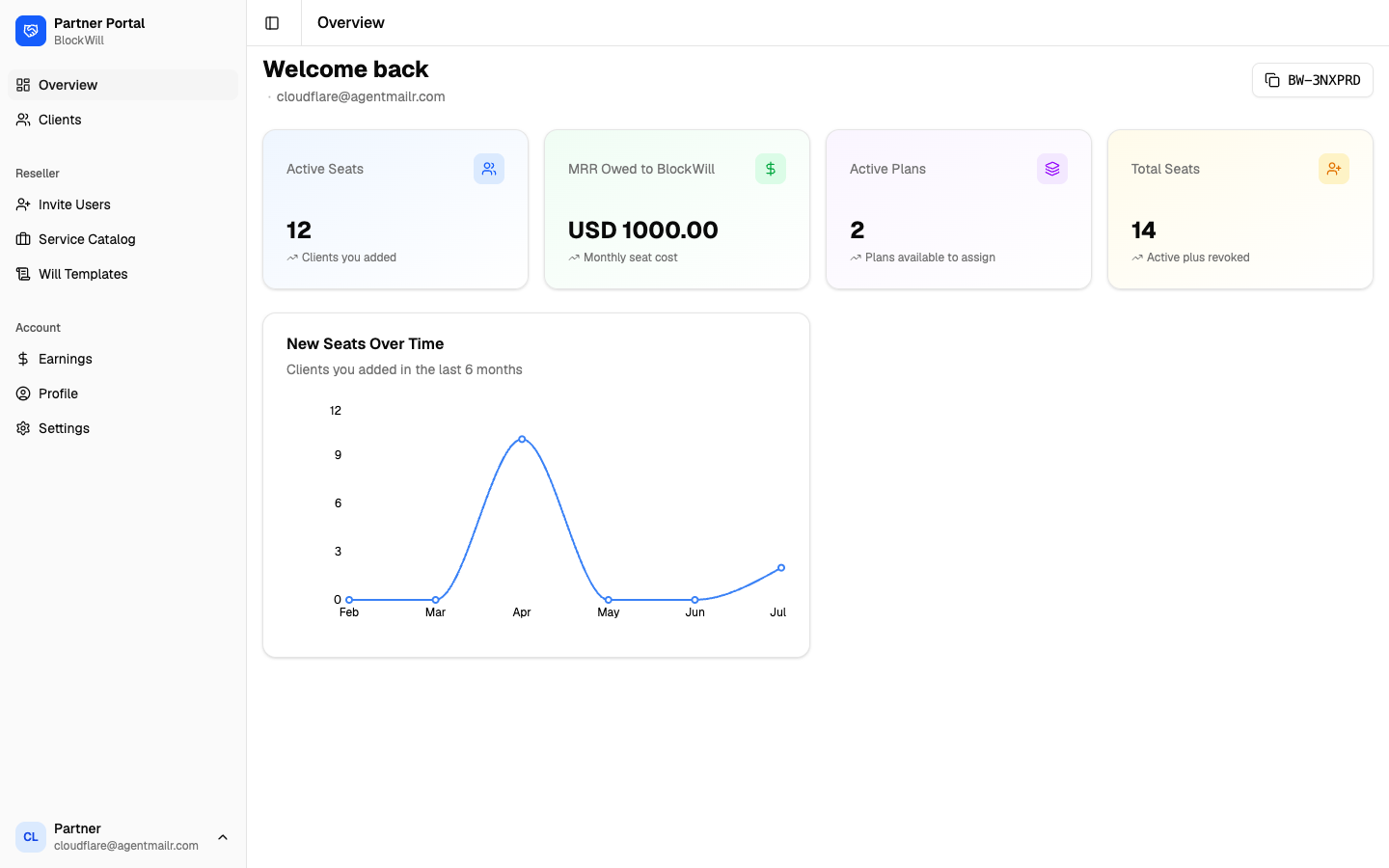
The shared layout
- Left sidebar: grouped navigation. The Toggle Sidebar button collapses it.
- Header: the current page name.
- Bottom-left user menu: your name and email. It opens Profile, Settings, and Log out.
- Top-right partner code (for example
BW-4KQ7ZM): your unique partner ID. Click to copy.
What determines your menu
Your left sidebar changes with the partner types your account is set up for: Services, Reseller, and Referrals, plus a separate switch for will templates. You never set these yourself. BlockWill turns them on when your account is approved.
- A Reseller account shows: Overview, Clients, and a Reseller section (Invite Users, Service Catalog, Will Templates).
- A Service account shows: Overview, Clients, and a Services section (Submissions, Service Catalog, Will Templates, Team, Messages).
- A Referrals account shows a Counsel network section with Referral Handoffs. Referrals alone gives you Overview but no Clients list, because counsel work arrives as briefs rather than as assigned clients.
- Accounts with more than one flow show each section.
- Every account shows the Account section (Earnings, Profile, Settings).
Will Templates needs two things at once: the Services or Reseller flow, and My Will enabled on your account. With one and not the other the item stays hidden.
A page you reach directly without the matching flow does not 404. It shows a "flow not enabled" card telling you to get in touch with BlockWill.
Team member sidebar
A team member sees a shorter, flat sidebar with no flow sections: My Clients, Service Catalog, Messages, and Settings. No Overview, no Earnings, no Profile. See Team member view.